ZeroTouch1.0.616b
Publisher Description
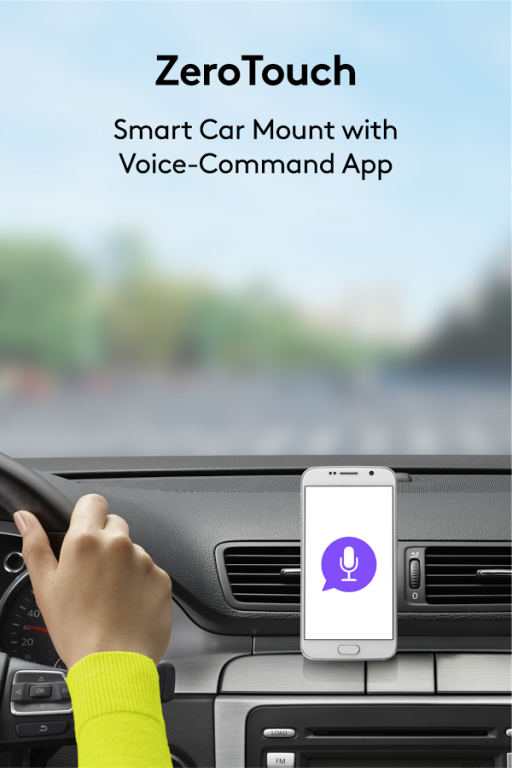
ZeroTouch is the evolution of the car phone holder.
Research has shown that the combination of a car mount with a voice and gesture controlled app is the optimal design to help drivers keep their eyes on the road. And this unique combination of app and mount also means you’re never out of touch, no matter how fast you’re moving. Designed to work exclusively with the mount, the app gives you hands-free control to text, make and receive calls, navigate roads, find destinations and reviews, and control music.
** Fix for Android 7.x compatibility issue **
Google has rolled out a 7.1.1 update to fix a known issue with Android 7.0 and 7.1 that may cause ZeroTouch to crash on certain phones. Please be sure to install this latest OS update available for your phone.
For feedback or help, reach out to zerotouchhelp@logitech.com.
To use our app, get your ZeroTouch car mount at logitech.com/zerotouch or amazon.com.
This app currently only works in English (US and UK), German and Spanish for Latin America.
HANDS-FREE TEXT
Simply wave and talk to send, read or mute.
HANDS-FREE MUSIC
Seamlessly integrate your music and never miss a beat.
HANDS-FREE NAVIGATION
Find your way with popular GPS apps.
HANDS-FREE LOCATION SHARING
Let people know where you are with Glympse® location service.
HANDS-FREE CALLING
Make calls without ever touching your phone.
HANDS-FREE CHAT
Reply to incoming WhatsApp, Facebook Messenger and Google Hangout messages on the road.
Services subject to additional terms and conditions; and are subject to change without notice.
About ZeroTouch
The company that develops ZeroTouch is Logitech Europe S.A.. The latest version released by its developer is 1.0.616b.
To install ZeroTouch on your Android device, just click the green Continue To App button above to start the installation process. The app is listed on our website since 2016-12-15 and was downloaded 135 times. We have already checked if the download link is safe, however for your own protection we recommend that you scan the downloaded app with your antivirus. Your antivirus may detect the ZeroTouch as malware as malware if the download link to com.logitech.zerotouch is broken.
How to install ZeroTouch on your Android device:
- Click on the Continue To App button on our website. This will redirect you to Google Play.
- Once the ZeroTouch is shown in the Google Play listing of your Android device, you can start its download and installation. Tap on the Install button located below the search bar and to the right of the app icon.
- A pop-up window with the permissions required by ZeroTouch will be shown. Click on Accept to continue the process.
- ZeroTouch will be downloaded onto your device, displaying a progress. Once the download completes, the installation will start and you'll get a notification after the installation is finished.
Program Details
System requirements
Download information
Pricing
Version History
version 1.0.616bbd0
posted on 2016-12-15
The ZeroTouch app is also now available in Spanish for Latin America.,* Fix for Android 7.x compatibility issue **,Google has rolled out a 7.1.1 update to fix a known issue with Android 7.0 and 7.1 that may cause ZeroTouch to crash on certain phones. Please be sure to install this latest OS update available for your phone.,If you experience additional issues, please kindly email us at ZeroTouchHelp@logitech.com for assistance.
version 1.0.262e2a8
posted on 2016-10-06
- Updated set up procedure for some phones with magnetic covers,- Show navigation app notifications on the lock screen of phones running Android Marshmallow and above,- App crash fix,If you have recently updated to Android OS 7.0, please uninstall the ZeroTouch app and reinstall it. If you continue experiencing issues, don't hesitate to contact us.,To share bugs or comments, reach out directly at zerotouchhelp@logitech.com.
